
Beyond the foldScrolling capture
The whole story. In one shot.
Capture an area, a window, or your entire screen. For content that keeps going, scrolling capture stitches it together vertically or horizontally, with manual and automatic scrolling.
Capture the detail. Add the context. Turn what is on your screen into something everyone can understand.
From a quick answer to a carefully annotated walkthrough, everything you need is right there after capture.
Capture an area, a window, or your entire screen. For content that keeps going, scrolling capture stitches it together vertically or horizontally, with manual and automatic scrolling.
Point with arrows, highlight text, number the steps, or draw it out. Use a spotlight to focus attention and redaction to hide sensitive details.
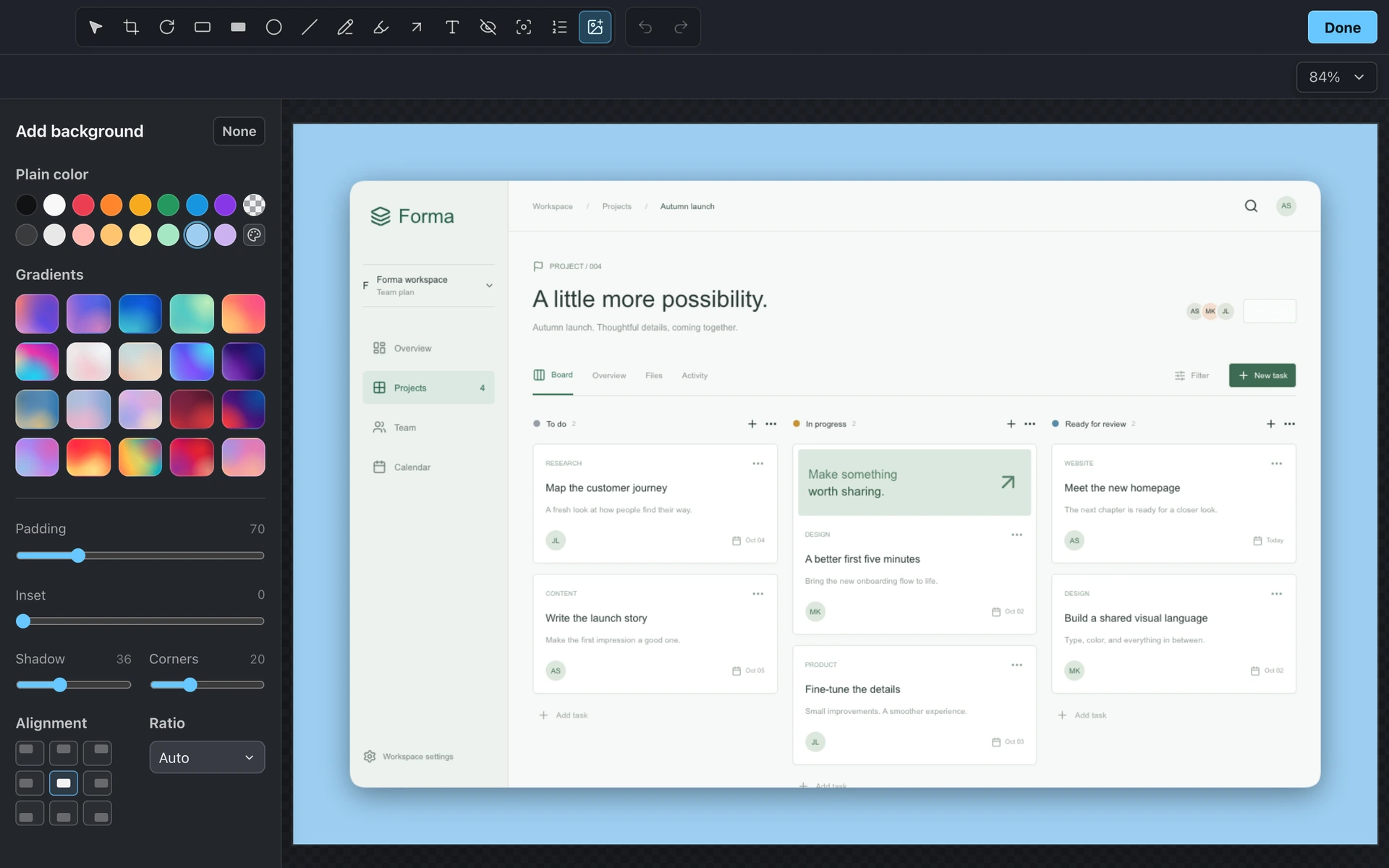
Add a colorful background, tune the padding and shadow, and choose an aspect ratio. Copy the result, save a PNG, or share a cloud link.
Select exactly what matters, from a small region to an entire display.
Stitch long content vertically or horizontally with manual or automatic scrolling, plus pause and resume.
Recognize text on your screen and copy it to your clipboard without retyping.
Preview a new capture, open the editor, copy, save, or upload it from a compact floating panel.
Draw single or double arrows, lines, rectangles, filled rectangles, circles, and freehand marks.
Add styled text with outline or box treatments, and highlight the text that matters.
Number a sequence with decimal, alphabetic, or Roman numeral counters.
Dim the surroundings and focus a rectangular, rounded, or circular area.
Conceal details with pixelation, secure blur, smooth blur, or a solid blackout.
Reframe the image, rotate it, adjust annotations, and move backward or forward through your edits.
Choose a solid color or gradient and set padding, inset, corner radius, shadow, and alignment.
Keep the original dimensions or compose square, landscape, and portrait images.
Save an image locally, copy it to your clipboard, or upload it and copy a shareable link.
Reopen recent captures and choose retention from one day to one month, or disable history.
Customize global keyboard shortcuts for the capture actions you use most.
Choose your export folder, launch at login, and receive automatic app updates.