
Follow the focusAutomatic & manual zoom
Keep their eyes on the action.
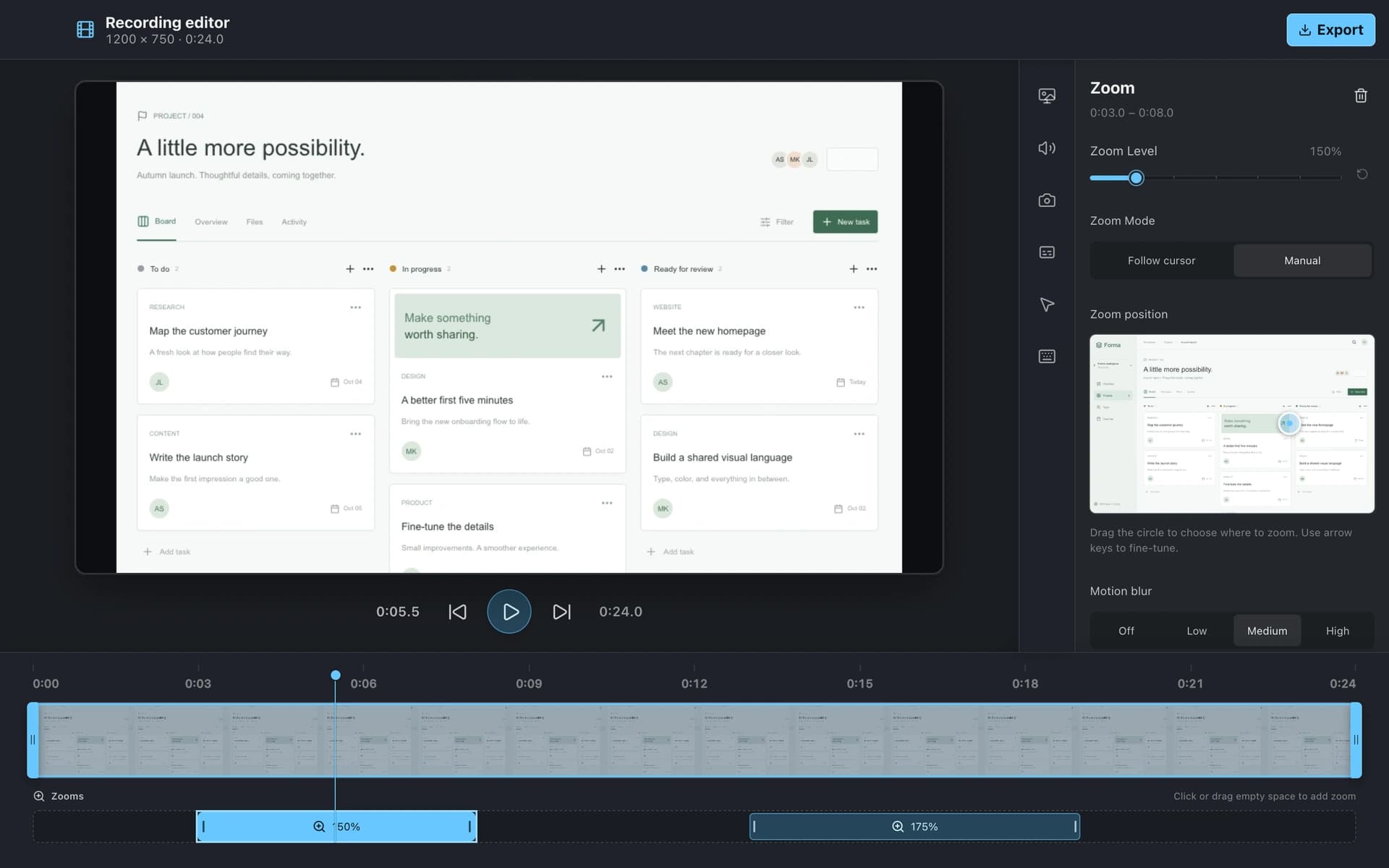
Automatically zoom into clicks, or place your own zooms on the timeline. Adjust the cursor, add click ripples, and show keystrokes so every step is easy to follow.
Record a walkthrough, bring your voice, and focus the action. Make your next explanation worth watching.
Capture is just the start. A purpose-built editor brings the focus, sound, and finishing touches together.
Automatically zoom into clicks, or place your own zooms on the timeline. Adjust the cursor, add click ripples, and show keystrokes so every step is easy to follow.
Record your microphone and system audio, add a camera overlay, and clean up microphone noise. Generate captions locally, edit the words, and choose how they appear.
Trim the beginning and end, add a wallpaper or your own image, and export as MP4 or GIF. Choose resolution, frame rate, and compression for the destination.
Record the entire display, a single window, or a selected portion of the screen.
Pause while you prepare the next step, then continue the same recording.
Capture your voice and all app audio, or select specific apps. System audio requires Windows 11 / build 20348+ or macOS 13+.
Add your camera, then change its size, position, shape, roundness, mirroring, or visibility in the editor.
Generate zooms from clicks or add them yourself, then adjust their timing, strength, and focus.
Use a system or circle cursor, resize it, and hide it when idle or typing.
Make clicks visible with a press effect and customizable outline or filled ripples.
Show shortcuts and special keys or all keys, with adjustable style, size, position, and press effects.
Set the start and end of the clip while keeping your original recording available for editing.
Choose a wallpaper, gradient, solid color, or your own image, with blur, padding, inset, shadows, and corners.
Reduce steady microphone noise and normalize voice volume for more consistent audio.
Mute the microphone or system audio independently in playback and exports.
Generate captions on your computer, select the language, and edit or remove individual caption cues.
Adjust size, text and background colors, and word-by-word reveal.
Export at 720p, 1080p, or 4K. MP4 offers 24, 30, or 60 fps; GIF offers 10 to 30 fps.
Choose compression, then save a file, copy to the clipboard, or publish a cloud link.